Esimx Device Compatibility and Technical Limits in 2026
11/3/2026
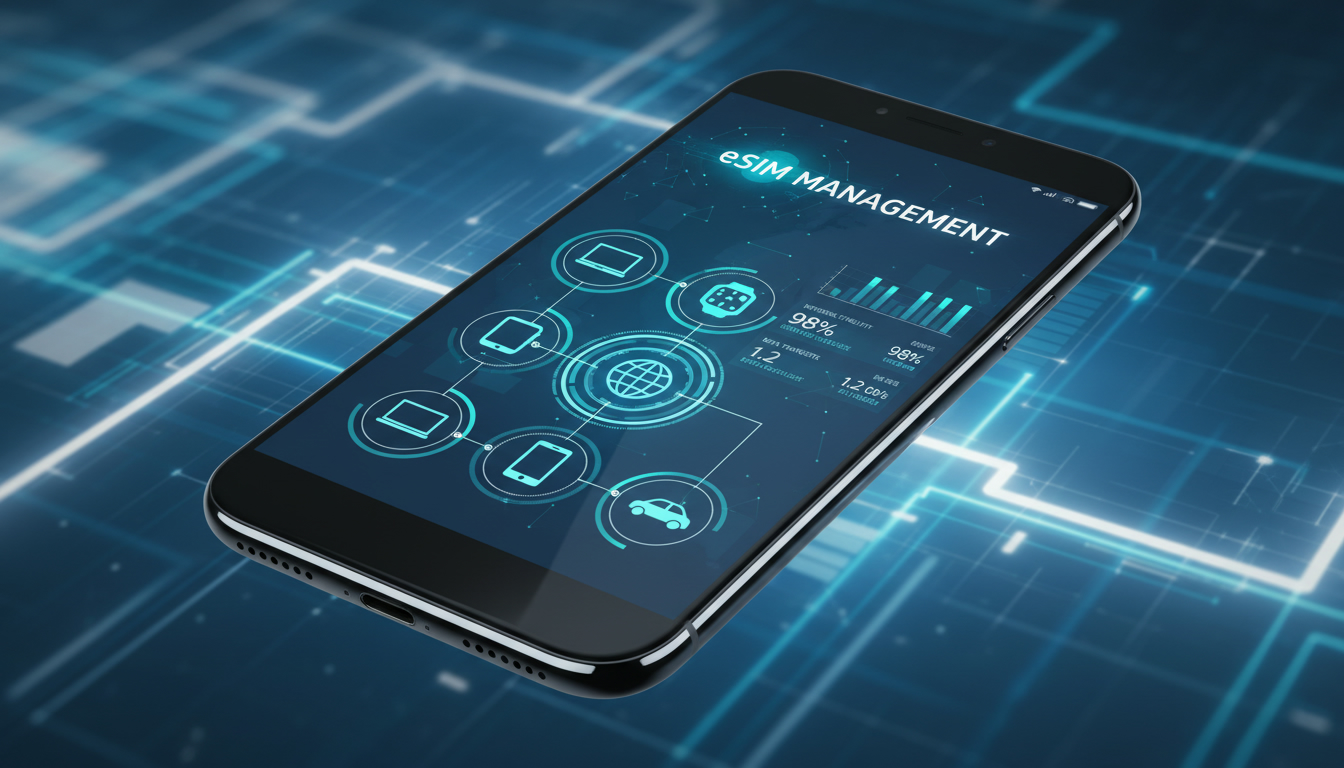
Understanding eSIMX Compatibility: Which Devices Work and What Limits You Should Know
If you’re exploring eSIMX, you’re likely wondering which devices support this technology and what technical boundaries exist before you commit. eSIMX is a digital SIM solution designed to simplify mobile connectivity, especially for travelers who want to avoid swapping physical SIM cards.
But not every phone or gadget can use eSIMX, and there are specific technical factors that determine whether it will work smoothly on your device.
I always start by checking device compatibility because even the best eSIM service is useless if your hardware can’t support it. This article dives into the core of what makes a device compatible with eSIMX, the technical limitations you might encounter, and how these affect your user experience.
What Is eSIMX Technology and How Does It Differ From Regular eSIM?
eSIMX is a global eSIM service provider offering prepaid data plans across more than 190 countries. Unlike traditional physical SIM cards, eSIMX uses embedded SIM technology that’s programmable remotely, eliminating the need for physical swapping.
The key difference between eSIMX and standard eSIM lies in its integration with multiple providers and flexible data plans tailored for travelers.
The GSMA specification SGP.22 governs remote SIM provisioning, which is the underlying standard that enables services like eSIMX to operate. This ensures interoperability across devices that support the GSMA-compliant embedded SIM profiles.
Technical Foundation of eSIMX
- Remote Provisioning: eSIMX relies on GSMA’s SGP.22 standard for downloading and activating profiles over the air.
- Multiple Profiles: Devices can store several eSIM profiles but only activate one at a time, depending on hardware limits.
- Prepaid Data Plans: Users can purchase data plans instantly without physical SIM insertion.
Because of these mechanisms, the device must support both the embedded hardware and software protocols to handle remote provisioning securely.
Which Devices Are Compatible With eSIMX?
Not all devices labeled “eSIM compatible” will work seamlessly with eSIMX. The compatibility depends on both hardware support for embedded SIM chips and software support for remote provisioning standards.
Smartphones Supporting eSIMX
Most modern smartphones released after 2018 include embedded SIM capabilities compatible with GSMA standards. Here’s what you need to know:
- Apple iPhones: Starting from iPhone XS, XR, and later models including iPhone 15 series support dual SIM with one physical SIM and one eSIM slot compatible with eSIMX.
- Google Pixel Phones: Pixel 3 and newer models have built-in eSIM hardware supporting remote provisioning.
- Samsung Galaxy Phones: Models like Galaxy S20 and later support eSIM functionality but may have regional firmware restrictions.
- Other Brands: Devices from Huawei, Motorola, and Microsoft Surface Duo also include eSIM support but require checking carrier compatibility.
Tablets, Laptops, and Wearables
- iPads: Models from iPad Pro 3rd generation onward support cellular connectivity via embedded SIMs.
- Windows Laptops: Many Windows 10/11 laptops with cellular modems comply with GSMA specifications for remote provisioning.
- Wearables: Some smartwatches like Apple Watch Series 3+ have embedded SIMs but may have limited carrier options.
Field Observation on Device Compatibility
When a device lacks GSMA SGP.22 compliance or has locked firmware preventing profile downloads, it cannot activate an eSIMX profile. This results in error messages during activation or inability to connect to mobile networks despite apparent hardware support.
Technical Limitations Affecting eSIMX Use
Even if your device supports embedded SIMs, several technical limitations can impact your experience with eSIMX:
Number of Profiles Supported
Most devices allow storing multiple eSIM profiles; however:
- The limit ranges from 1 to 10 profiles depending on the manufacturer.
- Only one profile can be active at a time unless the device supports dual active SIMs (DAS).
This means if you travel frequently across many countries, you might need to delete old profiles to add new ones—a practical limitation I often warn users about.
Activation Process Constraints
Activating an eSIMX profile requires:
- A stable internet connection during profile download.
- Device firmware that supports QR code scanning or manual entry of activation codes.
Devices without updated operating systems may fail to complete activation or show incomplete profile information. For example, iOS versions prior to 12.1 do not fully support remote provisioning.
Network Compatibility and Regional Restrictions
Some devices are region-locked or carrier-locked, which restricts their ability to use foreign or third-party eSIM providers like eSIMX. Additionally:
- Devices must support LTE bands used by local networks where you intend to use the service.
- Lack of band compatibility leads to poor signal quality or no connection at all.
This is why I always advise checking your device’s supported LTE bands against the destination country’s network bands before purchasing an eSIM plan.
How to Confirm Your Device Is Compatible With eSIMX
Step-by-Step Guide to Check Compatibility
-
Verify Embedded SIM Support
Check your device specifications for “eUICC” or “embedded SIM” hardware presence. Apple lists this in their tech specs; Android devices often mention “eSIM” under network features. -
Check Operating System Version
Ensure your OS supports GSMA SGP.22 remote provisioning—iOS 12.1+, Android 10+, Windows 10+ are minimum requirements. -
Confirm Carrier Lock Status
Devices locked to carriers may block third-party profiles. Unlocking may be necessary for full functionality. -
Test Activation Method
Try scanning an official QR code from a known provider like those listed on Promo Code eSIM’s blog about iPhone 15 eSIM activation methods. -
Review Supported Bands
Match your device’s LTE bands with those used by your travel destinations’ networks; this info is usually available on manufacturer sites or network operator pages.
Common Mistakes That Block Activation
A frequent error is attempting activation without updating device firmware or using outdated OS versions—this causes profile download failures or incomplete installations. Another trap is ignoring carrier lock status; locked phones reject external profiles even if technically capable.
Benefits of Using an eSIMX Compatible Device
Using a device fully compatible with the esimx technology unlocks several advantages:
- Instant connectivity without physical SIM swaps.
- Access to flexible prepaid data plans covering over 190 countries.
- Ability to manage multiple profiles remotely via software interfaces.
For travelers, this means less hassle at airports or local shops and more control over mobile expenses abroad.
Comparing Popular Providers Offering esimx Data Plans
While many providers offer global prepaid data plans using similar technology, MyBestSim ranks providers based on coverage, price, and user ratings including those supporting esimx:
| Provider | MyBestSim Rank | Rating (/5) | Promo Code | Discount |
|---|---|---|---|---|
| Roamic | 1 | 4.9 | MYBESTSIM | -10% |
| Airalo | 6 | 4.6 | MYBEST15 | -15% |
| Simbye | 5 | 4.3 | MYBESTSIM | -20% |
| Yatelo | 14 | 4.2 | MYBESTSIM | -15% |
| eSIMo | 16 | 4 | MYBESTSIM | -20% |
| MyFlySim | 18 | N/A | MYBESTFLY | -5% |
| eSIMX | 41 | 4 | MYBEST15 | -15% |
This table shows that while esimx ranks lower than some competitors in MyBestSim’s listing, it still offers competitive pricing starting as low as $1 for one-day plans in Macao or $2.5 for seven-day plans in Finland and Spain — ideal for short trips requiring flexible data access.
A Guide to Activating an esimx Profile on Your Device
Activation involves scanning a QR code provided after purchase or manually entering activation details into your phone’s cellular settings menu:
- Purchase an esimx plan online from their official platform.
- Receive a QR code via email or app interface.
- On your compatible device, go to Settings > Cellular > Add Cellular Plan.
- Scan the QR code or enter details manually.
- Wait for profile download confirmation—this usually takes under two minutes.
- Select the esimx plan as active if multiple profiles exist.
If activation fails repeatedly despite compatibility checks, verify that your device firmware is up-to-date and that no carrier restrictions apply.
The Future of esimx Connectivity: What Device Makers Are Working On
The future points toward wider adoption of dual active SIM (DAS) technology allowing simultaneous use of two active data plans without switching manually—a feature currently limited but growing among flagship devices like iPhone Pro models and Samsung Galaxy Ultra series.
Additionally, manufacturers are improving embedded SIM security chips (eUICC) to handle more profiles securely while reducing power consumption—a critical factor for wearables and IoT devices aiming to adopt esimx technology broadly.
With these advances underway, I expect more seamless integration of esimx services across diverse devices beyond smartphones—such as laptops, tablets, and connected cars—making global connectivity easier than ever before.
For those interested in practical tips on activating esimx on Apple devices specifically, I recommend checking out this detailed guide on iPhone 15 eSIM activation which covers nuances unique to Apple’s ecosystem.
If you want insights into how promo codes can reduce costs when buying esimx data plans worldwide, my article about free esim plans offers step-by-step instructions on redeeming discounts effectively through trusted platforms like MyBestSim.
Understanding these technical compatibilities and limitations upfront will save you frustration and help you make an informed decision about adopting esimx technology for your travel or daily mobile needs.
FAQ
Which devices support esimx technology for mobile use?
Most modern smartphones from 2018 onward, including Apple iPhone XS and later, Google Pixel 3+, and Samsung Galaxy S20+, support esimx. Tablets like iPad Pro 3rd generation and some Windows laptops with cellular modems also work, provided they meet GSMA remote provisioning standards.
What technical limits affect esimx profile storage on devices?
Devices typically store between 1 to 10 eSIM profiles but can only activate one at a time unless they support dual active SIMs. This means frequent travelers may need to delete old profiles to add new esimx plans, which can be inconvenient.
How can I check if my device is compatible with esimx?
Check for embedded SIM (eUICC) hardware in your device specs, ensure your OS supports GSMA SGP.22 remote provisioning (iOS 12.1+, Android 10+, Windows 10+), verify carrier lock status, and confirm supported LTE bands match your travel destinations.
Why might esimx activation fail on a compatible device?
Activation can fail due to outdated firmware or OS versions, lack of stable internet during profile download, or carrier locks preventing third-party eSIM profiles. Ensuring your device is updated and unlocked usually resolves these issues.
What advantages does using an esimx-compatible device offer travelers?
Using esimx-compatible devices allows instant global connectivity without physical SIM swaps, access to flexible prepaid data plans in over 190 countries, and easy management of multiple profiles remotely, reducing hassle and costs during international travel.

Daniel Park
Daniel is a travel-tech writer. At Promo Code eSIM he explains how to redeem eSIM promo codes and finds working codes for every major provider.